
Customer Support
service@hotcoinex.io
Product Feedback
Product@hotcoin.com
Business Inquiries
Business@hotcoin.com
Law Enforcement
Casecn@hotcoin.com
About
Products
Services
©2017-2026
service@hotcoinex.io
Product@hotcoin.com
Business@hotcoin.com
Casecn@hotcoin.com
Futures Copy Trading allows you to follow the strategies of experienced traders. Once enabled, the system automatically replicates their trades, eliminating the need to place orders manually.
This guide uses the Hotcoin App as an example to help you quickly get started with Futures Copy Trading.
1. Access the Copy Trading Page
Open the Hotcoin App and tap More → Copy Trading to access the Copy Trading page.
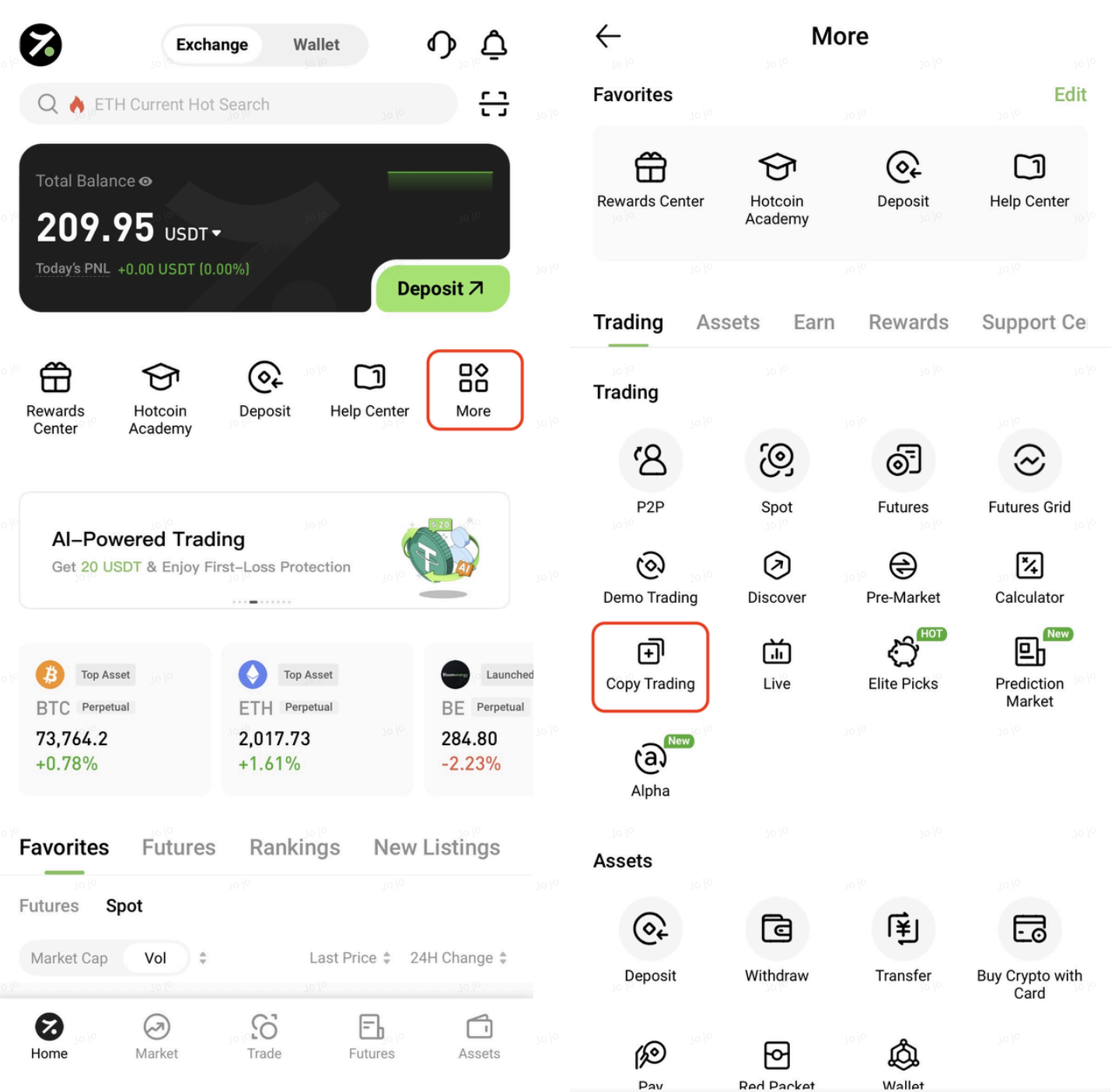
On this page, you can view trader profiles, performance metrics, and related trading data. You can also use the filter function to quickly find traders that match your preferences.
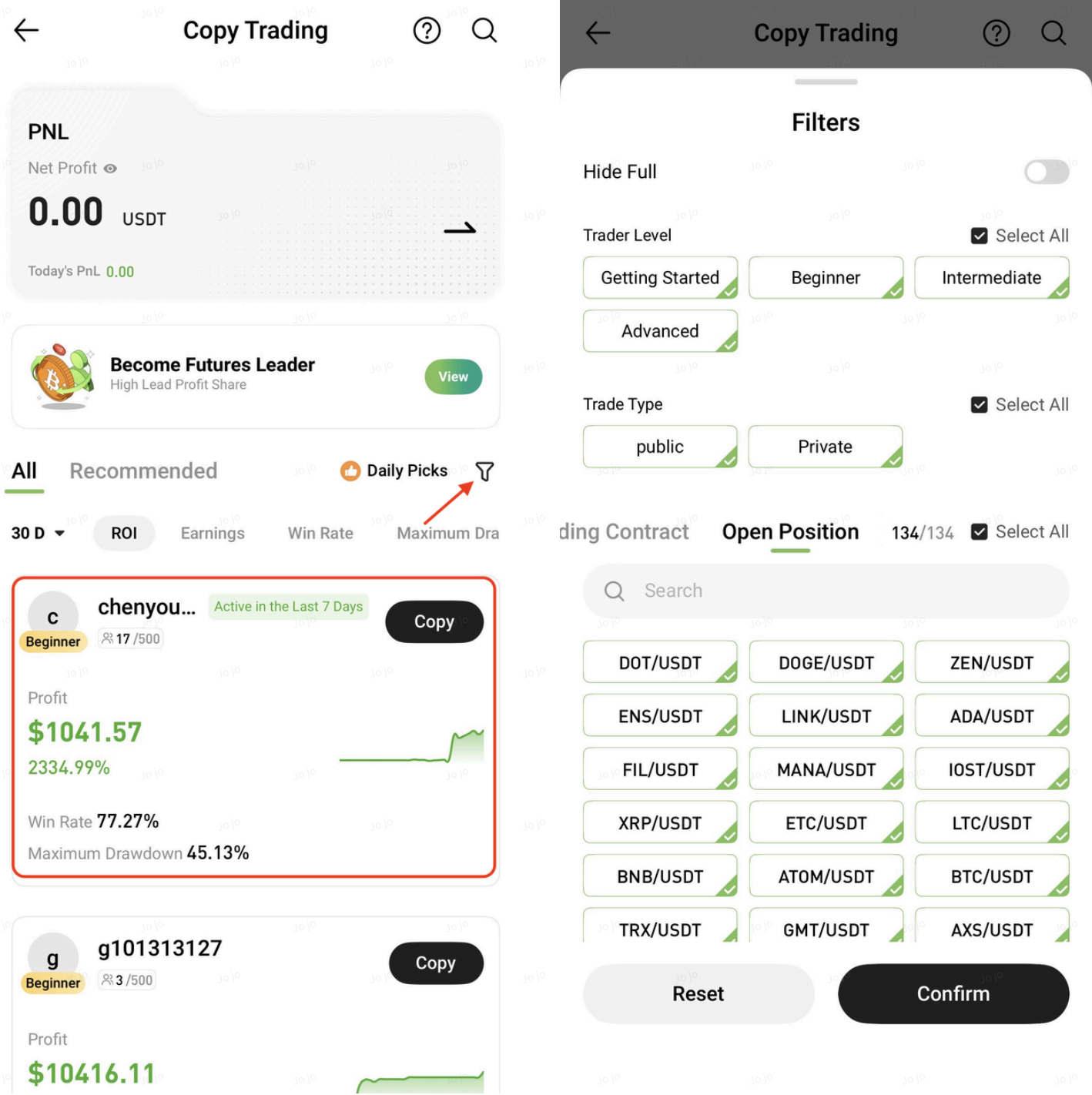
2. Choose a Trader
Tap a trader's avatar to view detailed information and trading statistics.
It is recommended to evaluate both returns and risk metrics comprehensively, with a focus on traders who demonstrate stable long-term performance.
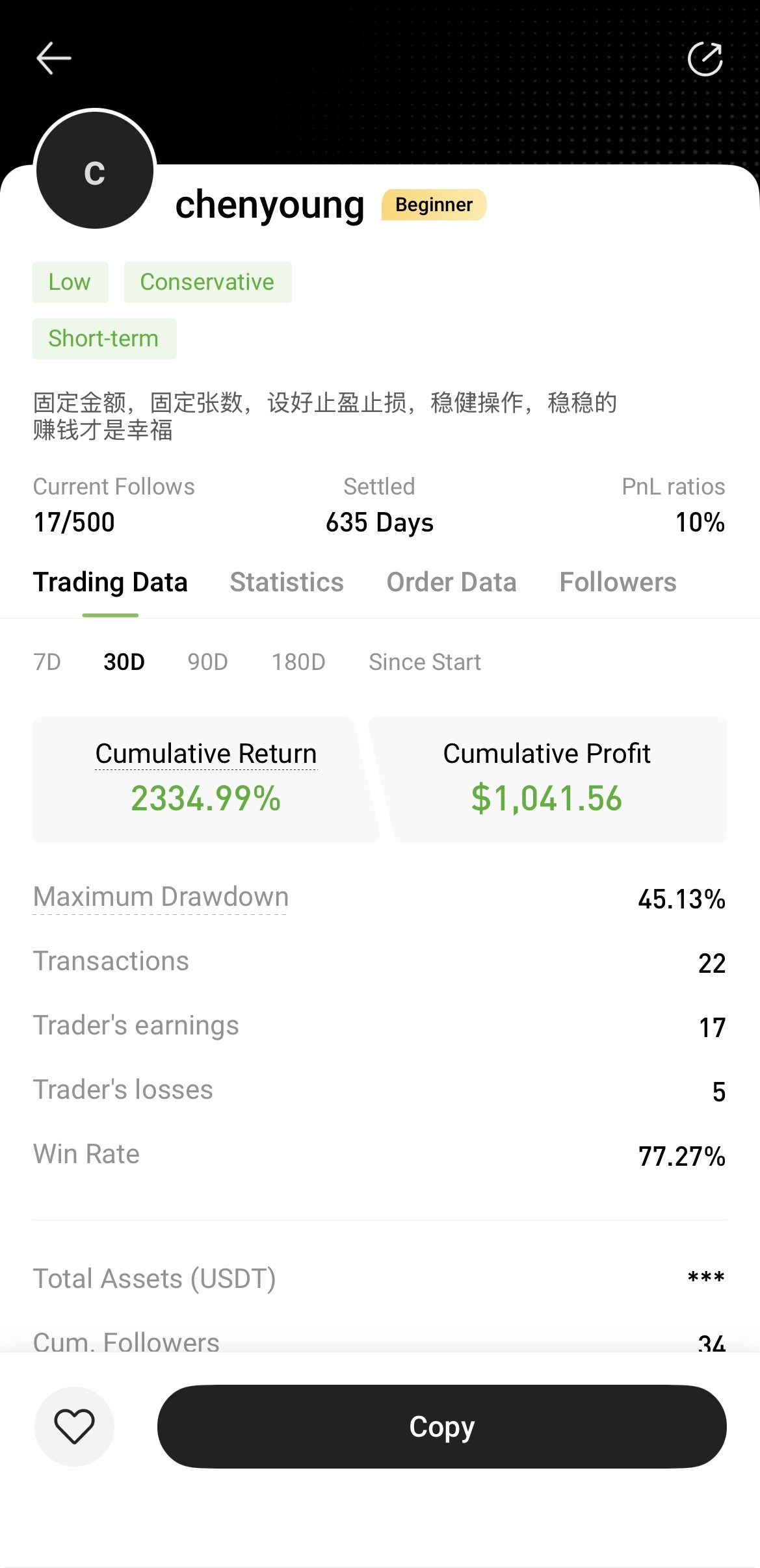
3. Start Copy Trading
After selecting a trader, tap Copy and configure the copy trading settings according to your preferences.
Once the settings are confirmed, tap Submit to start copying trades.
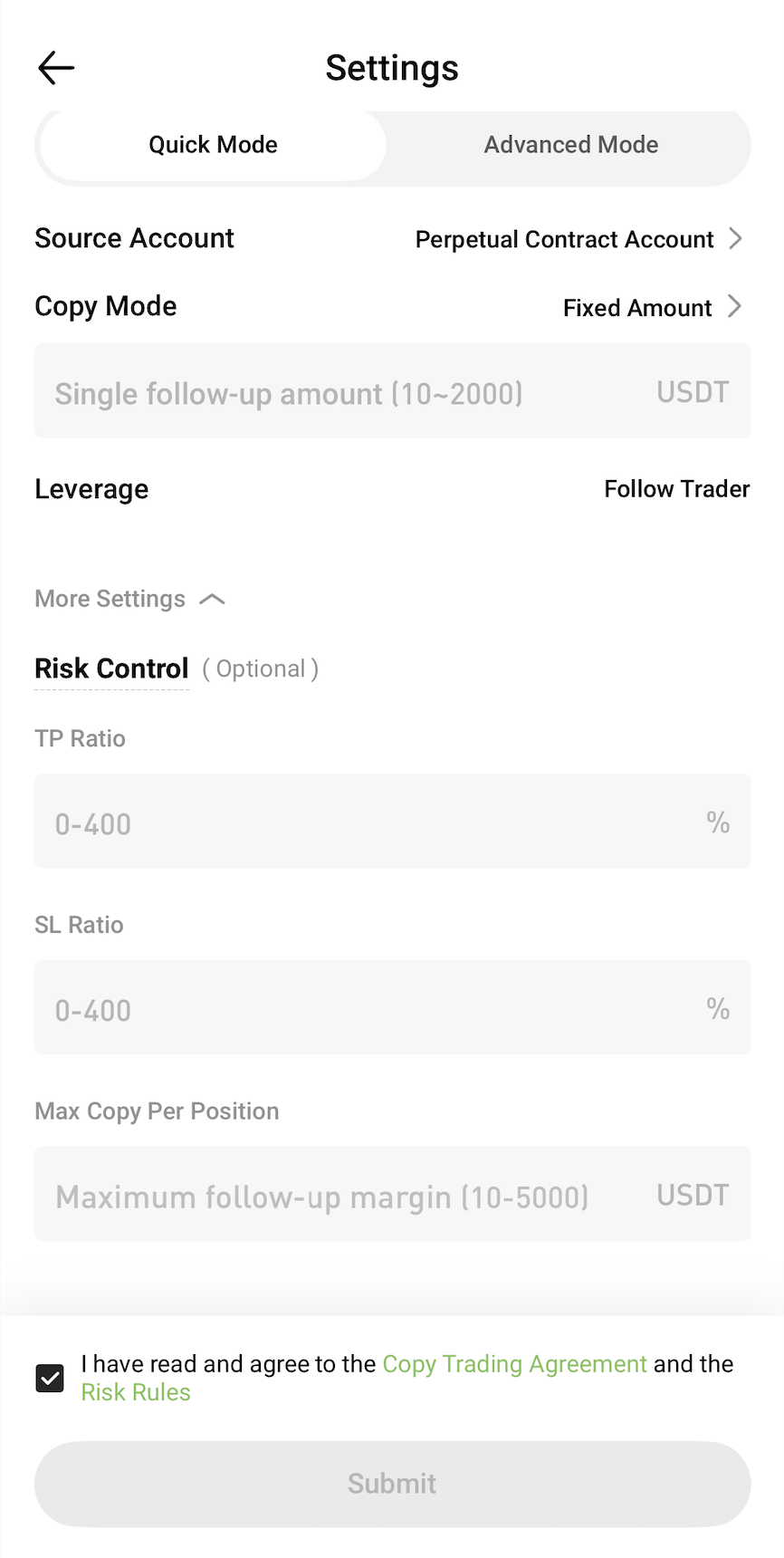
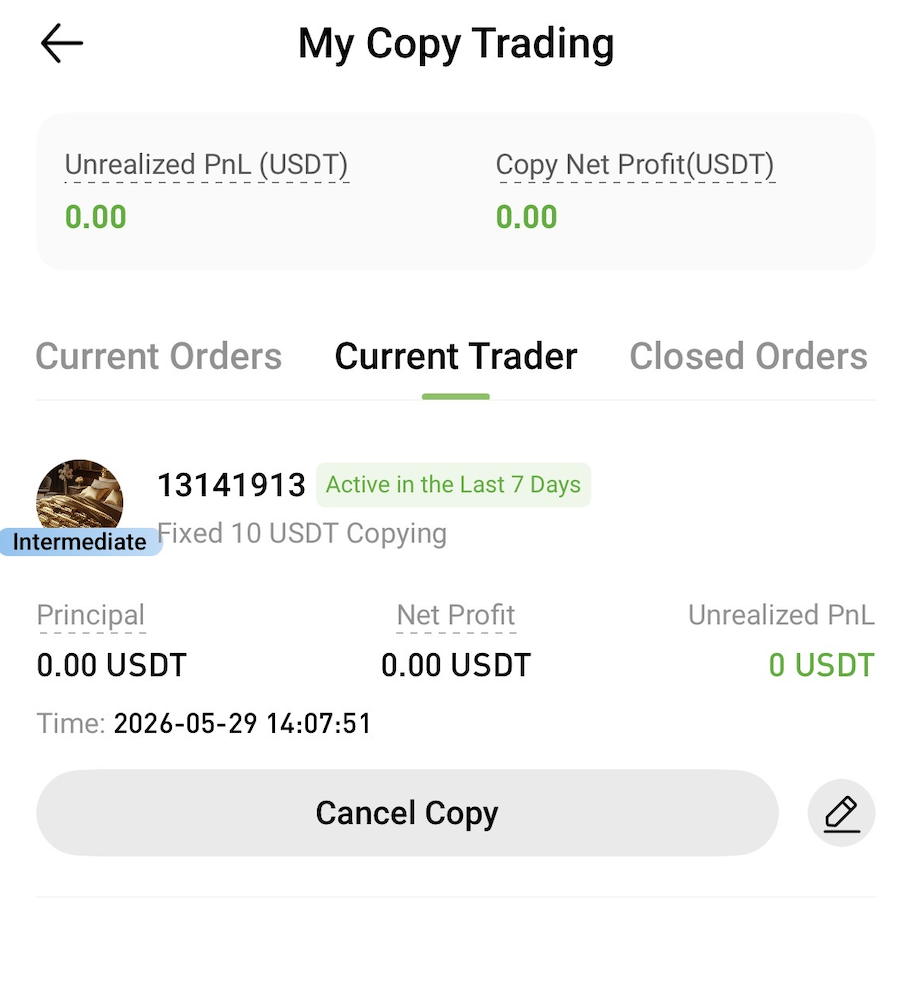
4. View and Manage Copy Trading
On the Copy Trading page, you can view the following information at any time:
You can also adjust your copy trading settings whenever needed.
5. Stop Copy Trading
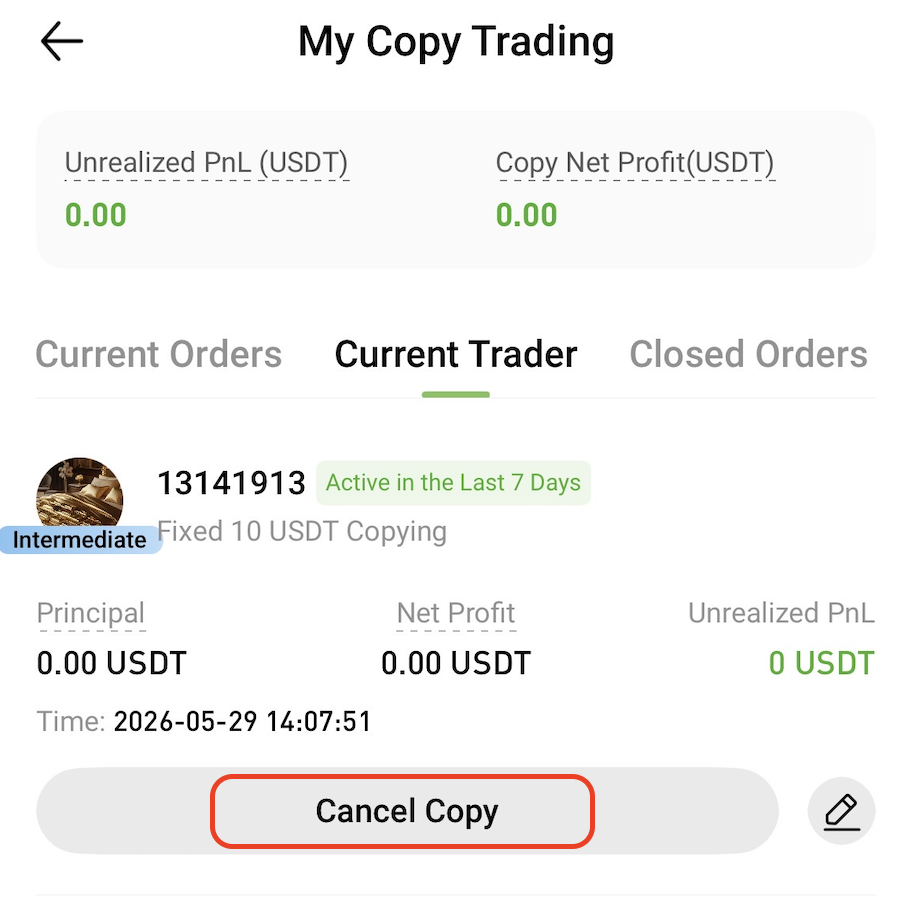
To stop following a trader, go to the My Copy Trading page and tap Cancel Copy.
Once copy trading is canceled, the system will no longer replicate any new trades from that trader.
Risk Warning
Copy trading does not guarantee profits. Past performance is not indicative of future results. Please assess the risks carefully and only participate within your risk tolerance.
Related Articles