
How to Make an Internal Transfer in the Hotcoin App?
An internal transfer allows users to send assets directly to other Hotcoin users without going through the blockchain. This enables faster settlement and zero transaction fees.
Follow these steps to complete your internal transfer:
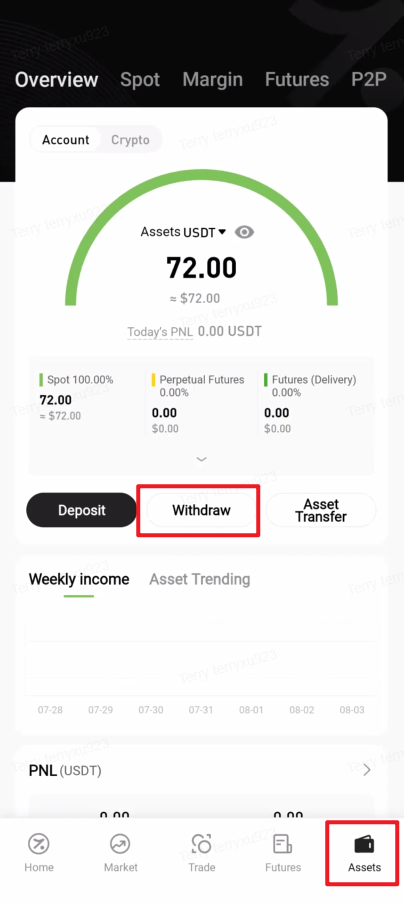
1. Open the Hotcoin App, tap Assets in the bottom-right corner to enter the asset overview page, then tap Withdraw
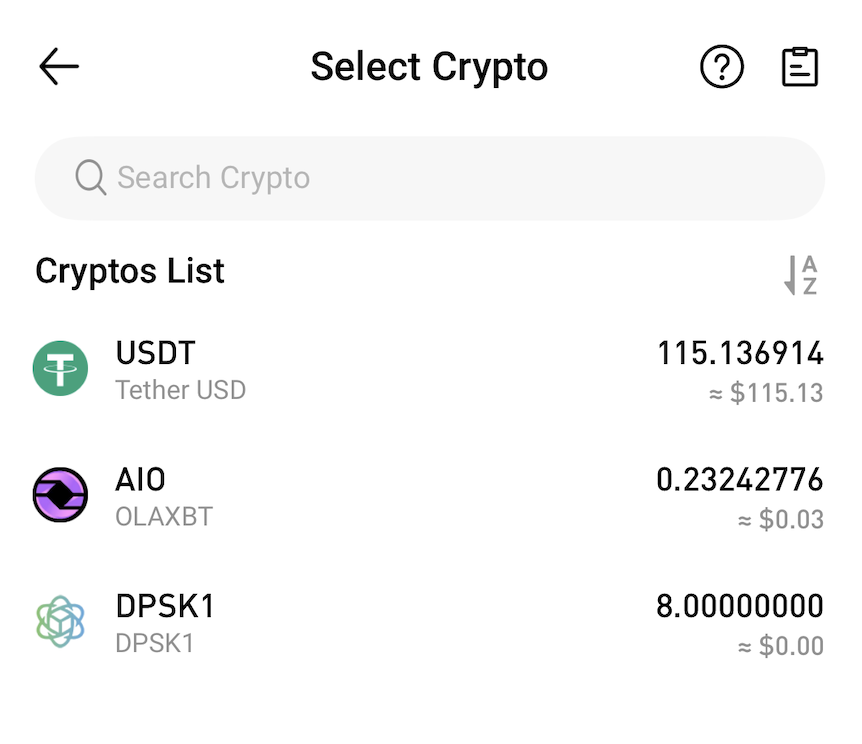
2. Select the asset you wish to withdraw from the Cryptos List
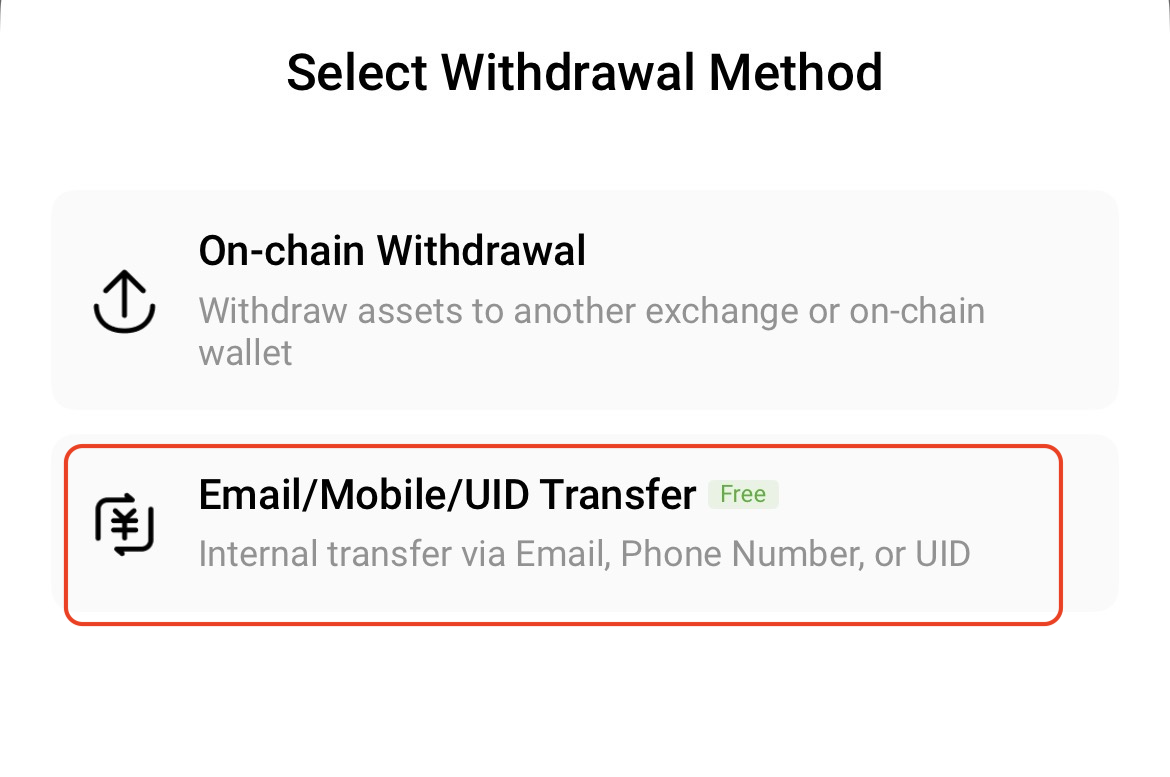
3. In the Select Withdrawal Method window, choose Email/Mobile/UID Transfer
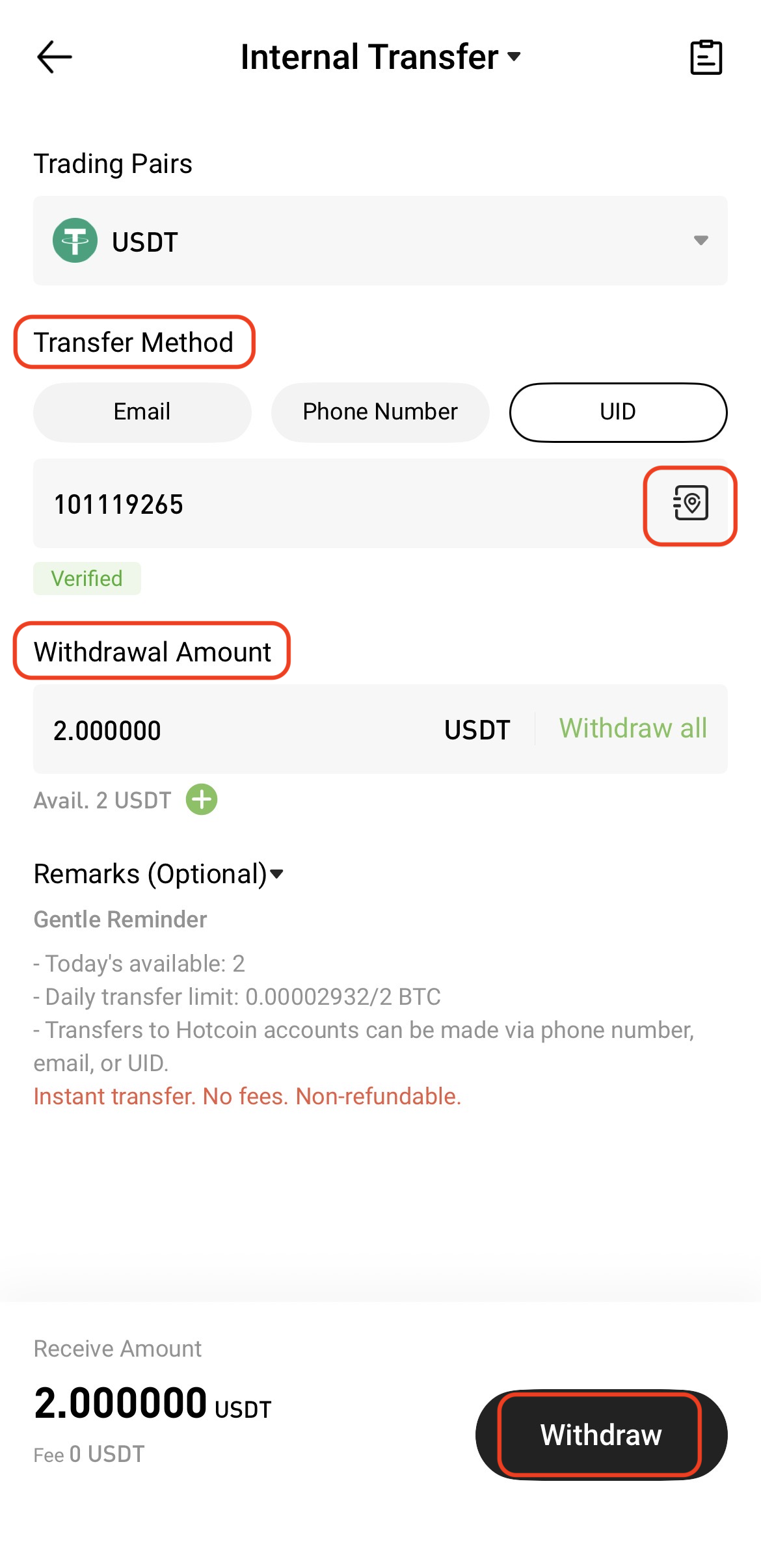
4. On the Internal Transfer page, complete the following information:
- Transfer Method: Select Email / Phone Number / UID, and enter the recipient’s account information accordingly. To manage or add recipients, tap the Address Book icon on the right side of the input field and follow the prompts
- Amount: Enter the transfer amount. The page will automatically display the credited amount
- Tap Withdraw to proceed
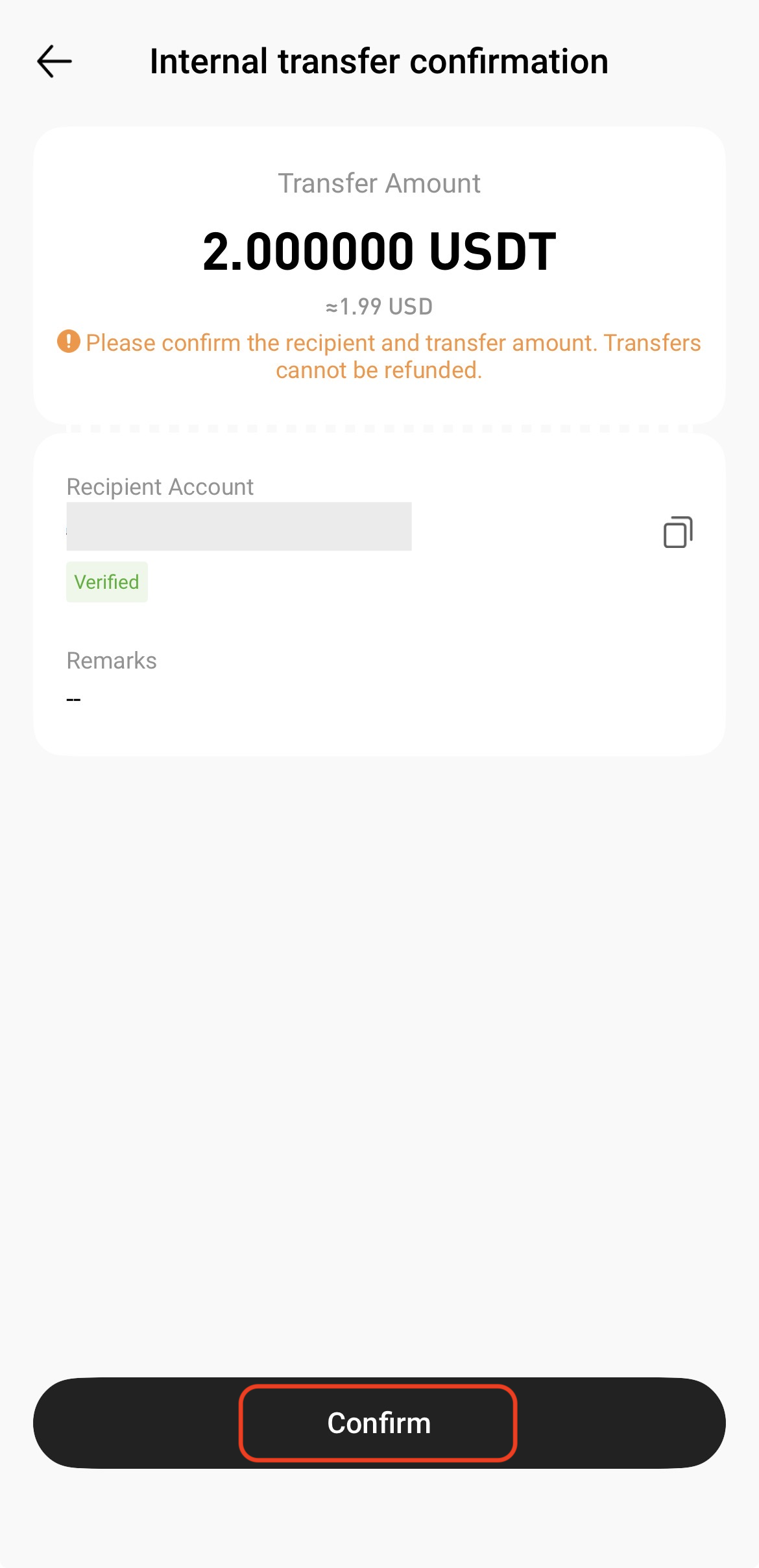
5. Review the transfer details carefully. Once confirmed to be correct, tap Confirm
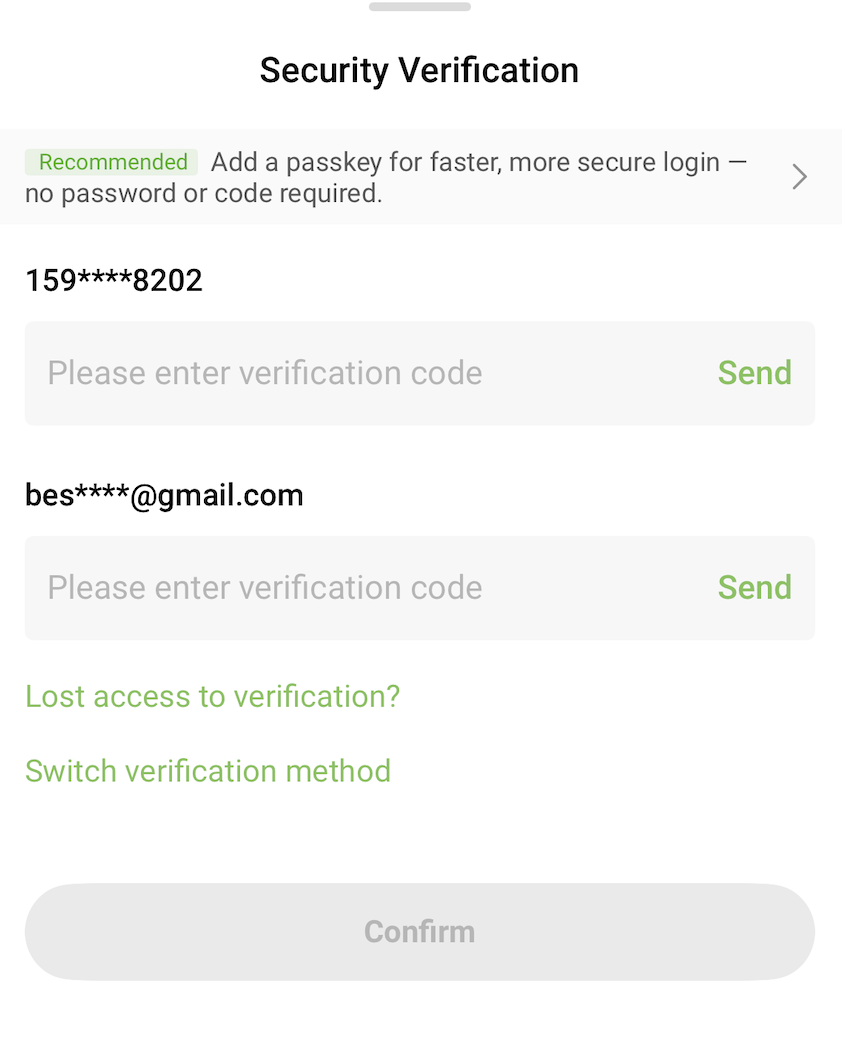
6. Complete the required security verification (e.g., SMS, email, or Google Authenticator), then tap Confirm
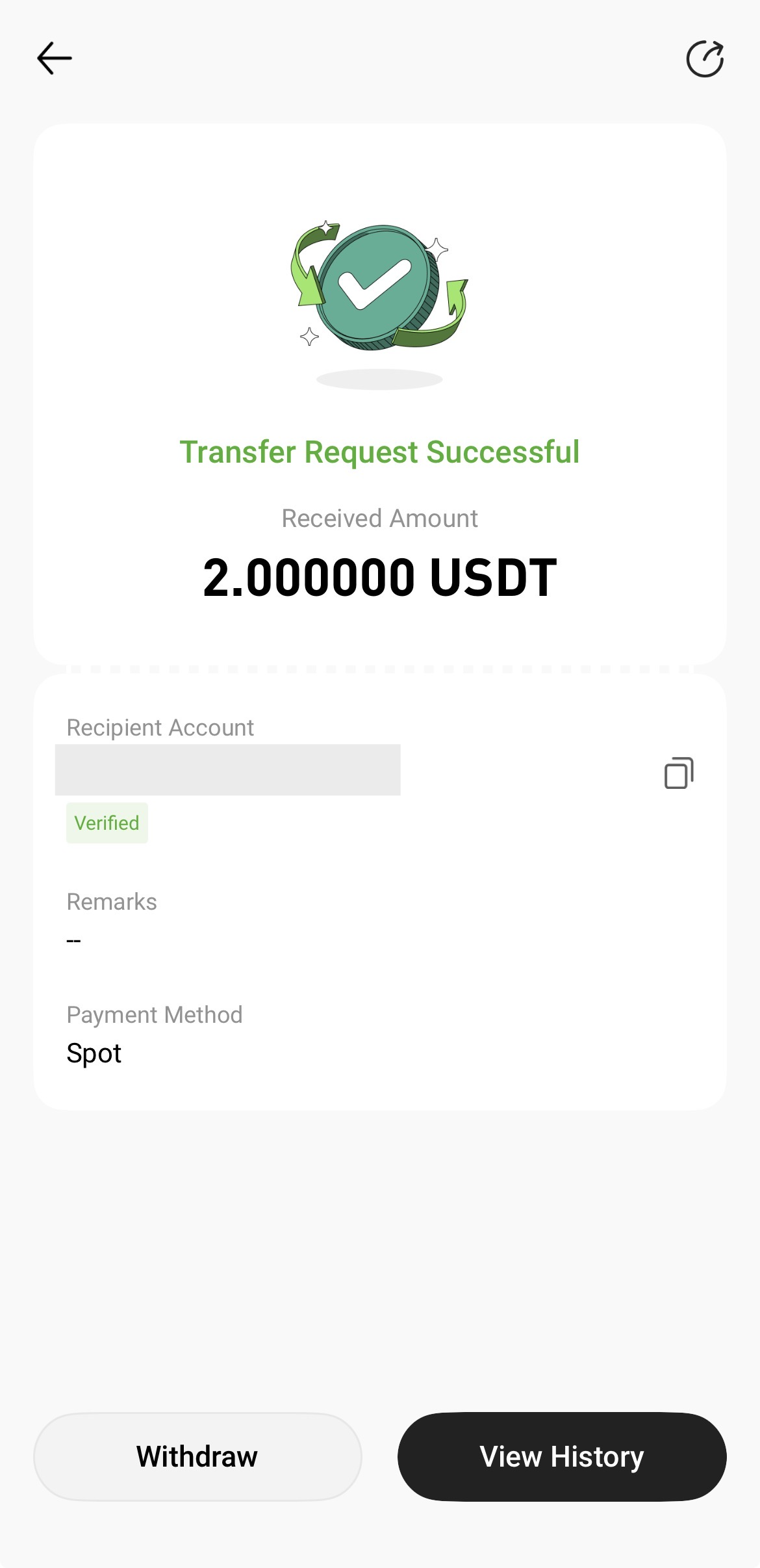
7. After submission, the assets will be credited to the recipient’s Hotcoin account instantly.
Notes
- Internal transfers are only available between registered Hotcoin users
- Please double-check the transfer method, recipient account information, and amount before submitting
- Transfers are typically credited instantly and generally cannot be reversed or refunded once completed
- If you enter incorrect recipient information, the assets may be irretrievable. Please proceed with caution